


Measurement unit setting
You can select the measurement unit (km or miles).
1. From the measurement screen, press MENU to switch to the menu screen.
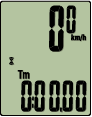
Measurement screen


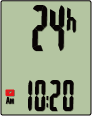
Menu screen (Clock setting)
* When the menu screen is left on for 1 minute, Smart computer returns to the measurement screen.
2. Press MODE to display the screen shown below, and then press MODE for 2 seconds.
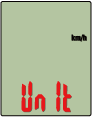

(2 seconds)
3. Press MODE to select the measurement unit.
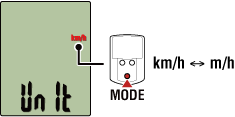
4. Press MENU to confirm settings.
Pressing MENU again returns to the measurement screen.
* If you have changed settings, always press MENU to confirm changes.
* When the measurement unit is changed, existing measurement data is automatically converted to the new unit.
Copyright © 2021 CATEYE Co., Ltd.