


Function setting
It is possible to skip certain functions displayed at the bottom of the screen.
1. From the measurement screen, press MENU to switch to the menu screen.
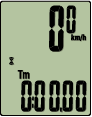
Measurement screen


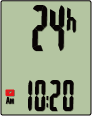
Menu screen (Clock settings)
* When the menu screen is left on for 1 minute, Smart computer returns to the measurement screen.
2. Press MODE to display the screen shown below, and then press MODE for 2 seconds.
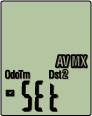

(2 seconds)
3. Switch off the functions you want to skip by moving to the relevant icon and turning the setting off.
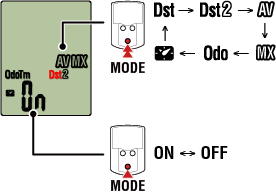
(2 seconds)
* Current speed, elapsed time, heart rate, cadence, and power cannot be skipped.
4. Press MENU to confirm settings.
Pressing MENU again returns to the measurement screen.
* If you have changed settings, always press MENU to confirm changes.
Copyright © 2021 CATEYE Co., Ltd.